How to Change Languages in Genshin Impact

Genshin Impact supports 13 Text Languages and 4 Voice-Over Languages,
You can change them independently and use any combination you like!

Supported Text Languages:

English, Simplified Chinese, Traditional Chinese, Japanese, Korean, Indonesian, Thai, Vietnamese, German, French, Portuguese, Spanish, Russian.

Supported Voice-Over Languages:

English, Chinese, Japanese, Korean.

Here's how to change them:

Step 1: Open the Paimon Menu by selecting Paimon's portrait at the top left corner of your screen.
(or press ESC if you're playing on PC, or press Options button on your controller if you're playing on PS4).
*Note: Travelers on mobile need to reach the first Statue of The Seven before they can access the Paimon Menu.

Step 2: Select "Settings.
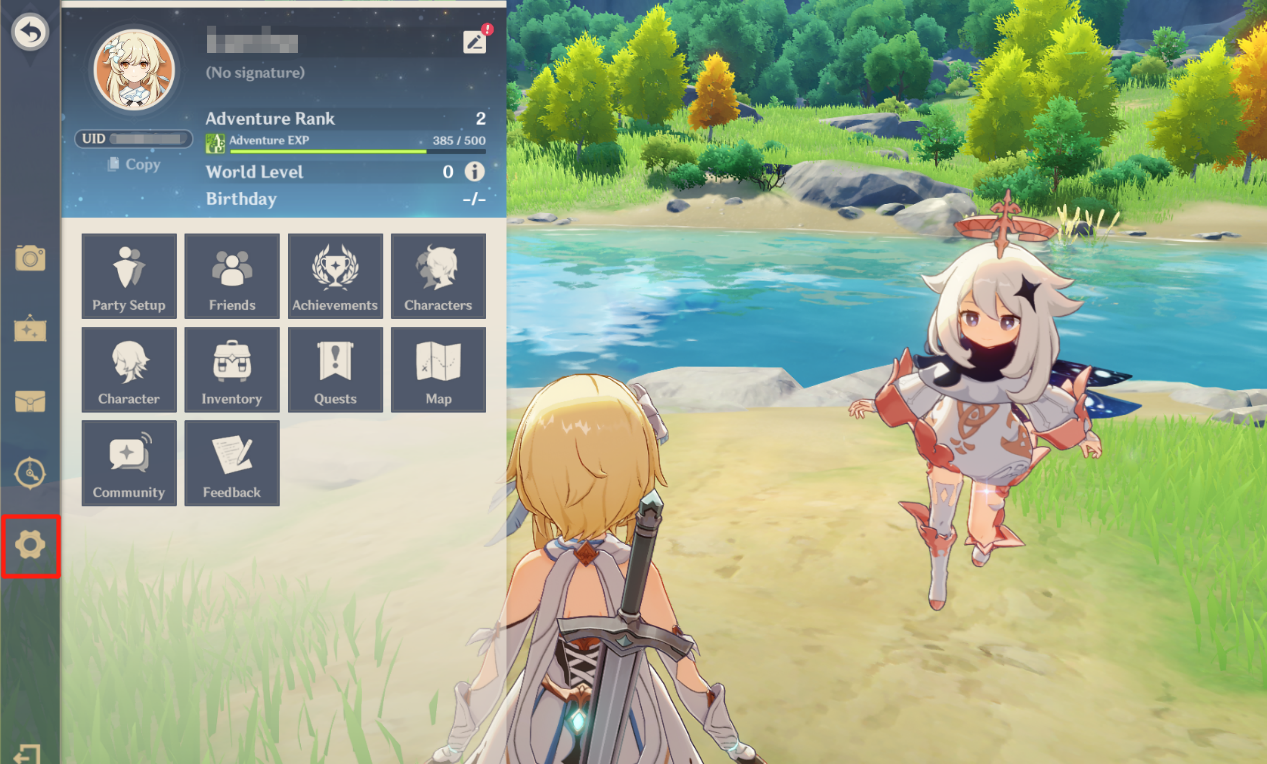
Step 3: Select "Language.
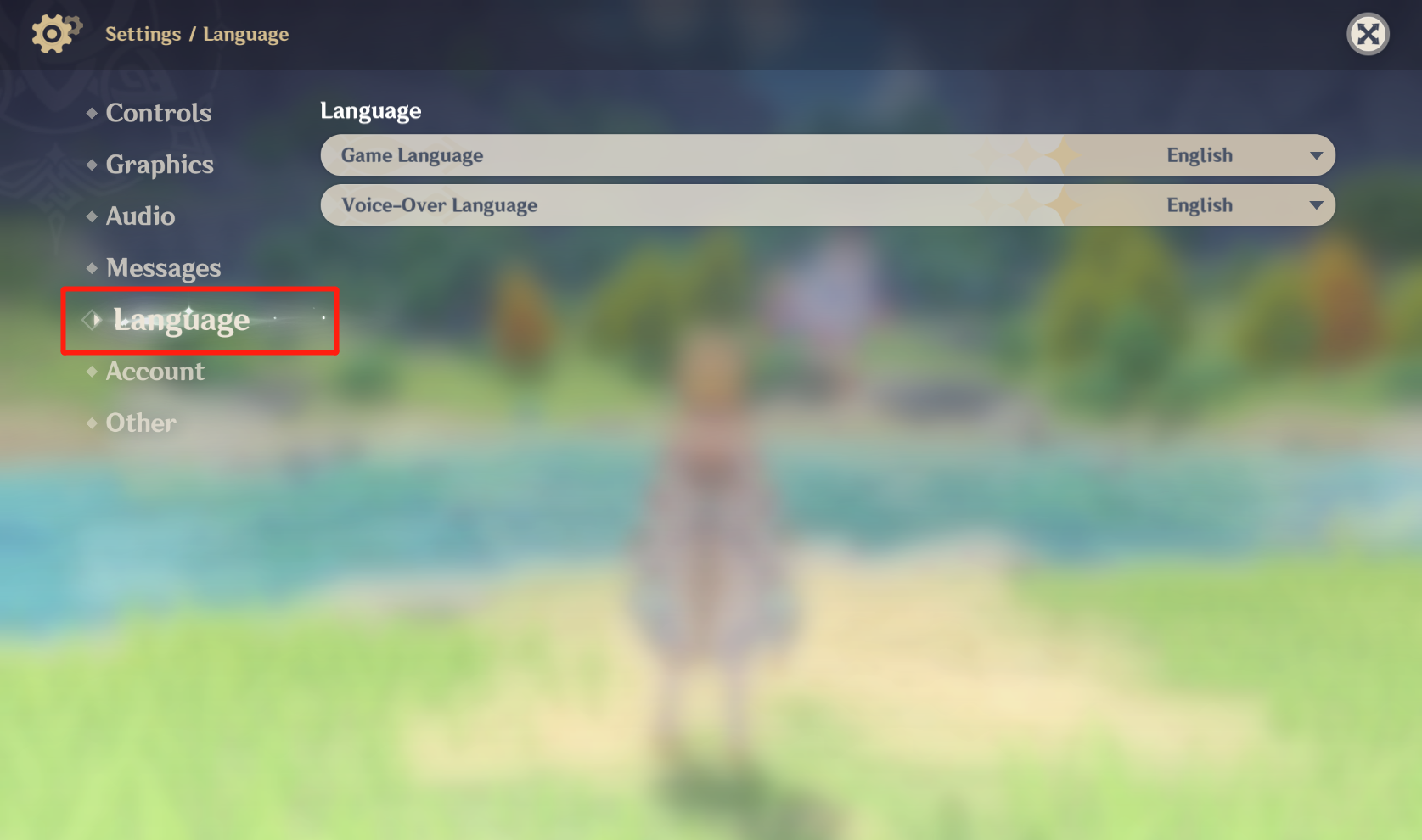
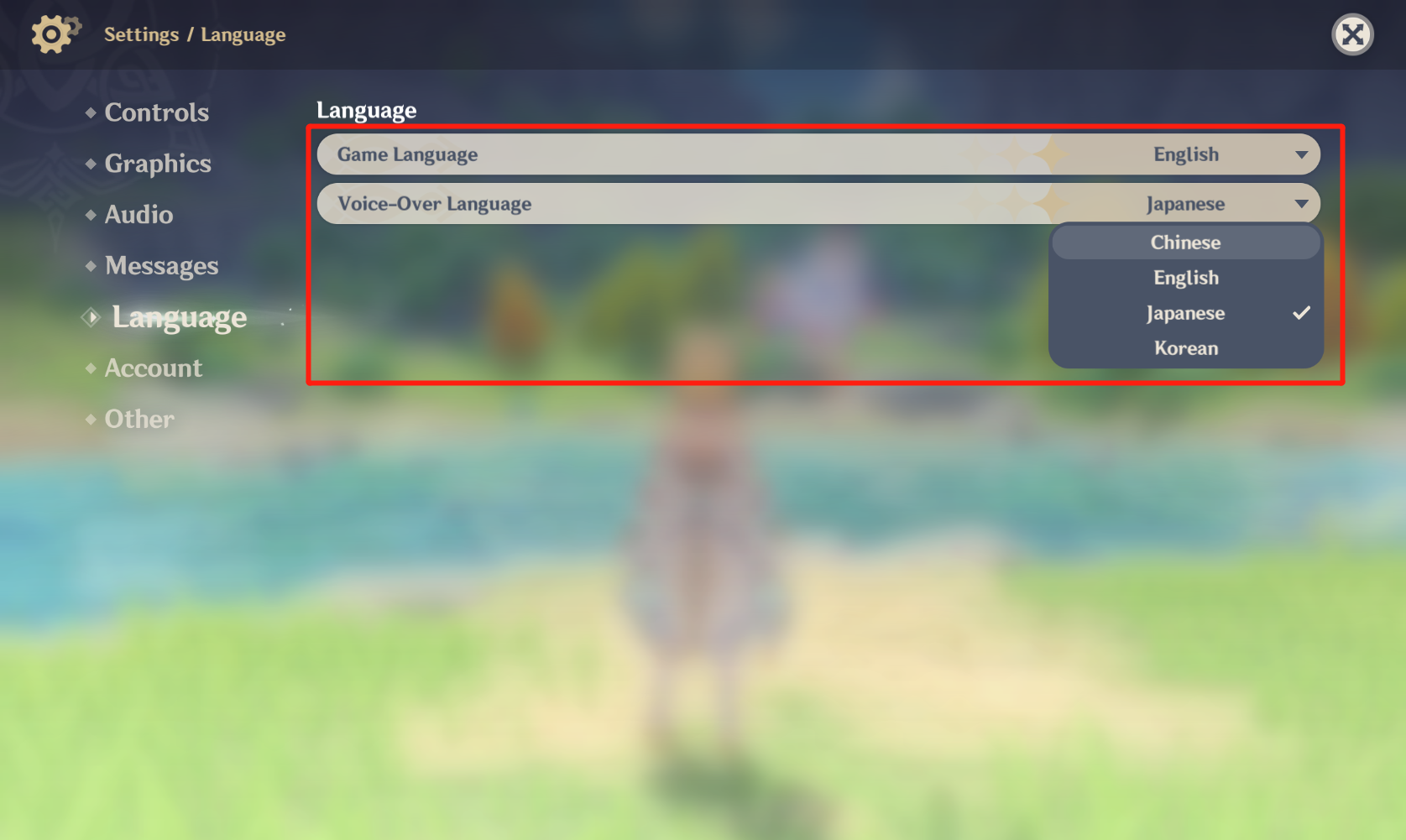
Step 4: Select the Text and Voice-Over Languages you want to use.

Animon News

Animon News is the editorial team at Animon Life, an anime and game merchandise retailer founded in 2021 with a store in San Francisco’s Japantown (1737 Post St #305). We cover official merch releases, collaborations, pop-up events and character guides for Genshin Impact, Honkai: Star Rail, Zenless Zone Zero, Wuthering Waves, Punishing: Gray Raven, Heaven Official’s Blessing, Arknights, NIKKE and more. Our facts come from official game sites, publisher announcements and our own product listings. Every post is dated and updated when details change. Animon Life is an authorized retailer for HoYoverse and Kuro Games titles, and ships from California to the US and Canada.

https://www.animonlifeofficial.com/about
Previous
Previous

Recent Fixes and Adjustments to In-Game Descriptions

Next
Next

Genshin Impact Collected Miscellany - "Diluc: Dawn"